Time & Materials: from agreed rates to approved time

Manage projects, consultants, rates and billing periods. Collect time and expenses, follow approvals and prepare records for review before the administrative close.

Explore product workflows and limits to check

Worked, approved and invoiced time are different

A T&M close requires the project, period, rate and time to agree. Hice keeps these records accessible and exports timesheets; the statutory invoice is a separate step.

  • Review project terms before using actuals
  • Distinguish submitted, approved and returned timesheets
  • Agree export format and content with finance

A month-end workflow to test with your data

Open the staffing project, review the rate and billing period and check assigned people. Follow time entry and approval, then choose how to export the period.

  • Review project rate, billing frequency and dates.
  • Check approval status before using the time records.
  • Export detailed or summary timesheets with the required sections.
Time & Materials: from agreed rates to approved time
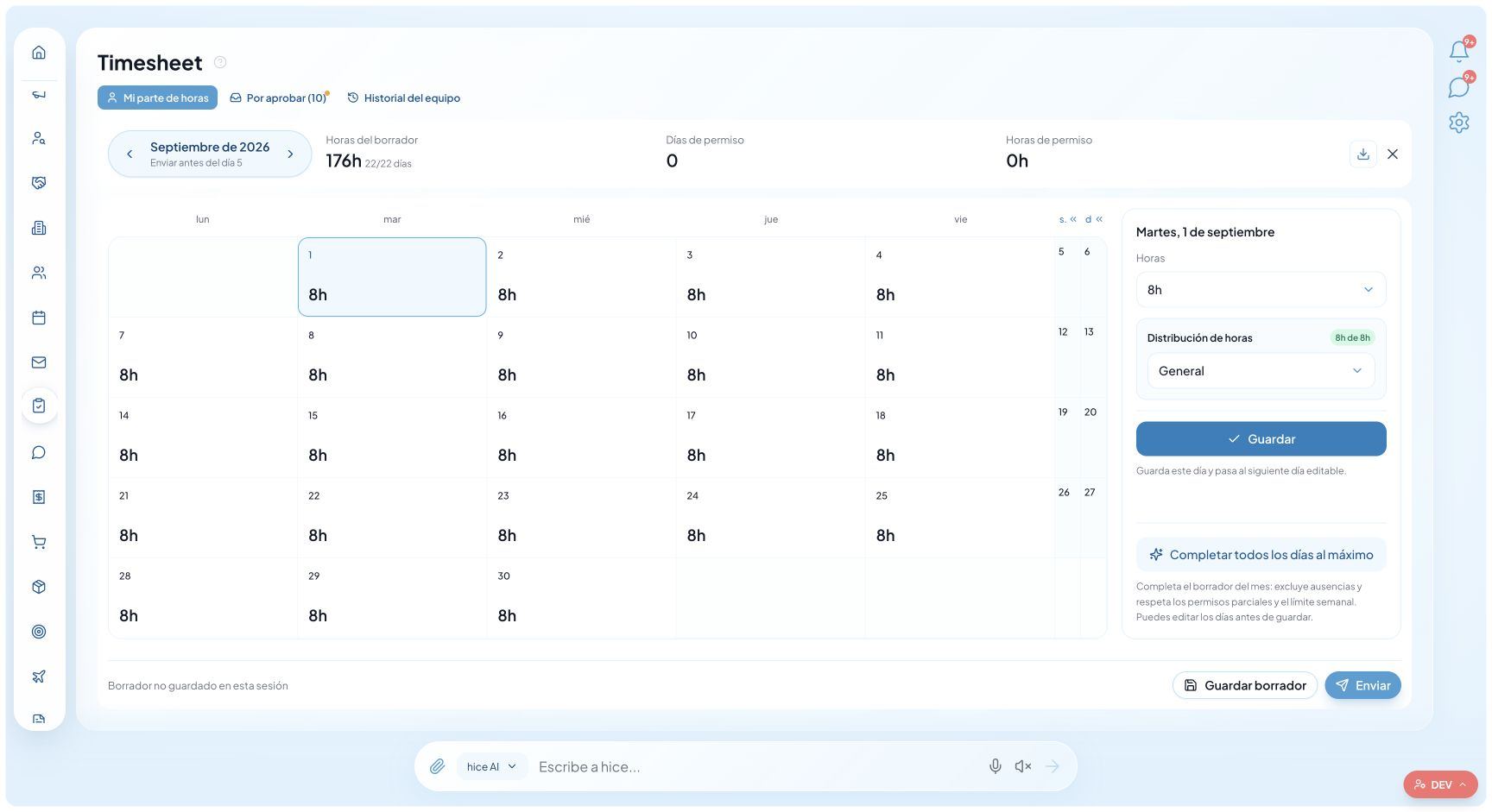
Actual product screen with demo data and the Spanish interface. It illustrates the product, not customer results or real clients.

What you get

T&M terms

The project retains rate, billing frequency and billing-period dates.

People and projects

Assignments and project time keep the work being reported identifiable.

Manager and HR approvals

Timesheets support first- and second-level reviews according to the configured workflow.

Excel and CSV exports

Download XLSX or CSV data, choosing available modes and sections.

PDF and Word documents

Export a shareable or editable document without treating it as a statutory invoice.

Detail or summary

Choose time, days, absences, projects, approvals and notes relevant to the period and user.

1. Review rates, periods and assignments

In the staffing project, check the rate, billing frequency and billing-period dates. Verify that people are connected to the engagement and that recorded terms match the client agreement.

Do not use a total without checking commercial rules: rate units, eligible hours or days, expenses and contract changes must be reconciled with finance. We do not promise that every contractual exception is already automated.

2. Follow time entry and approval

People complete their timesheets and submit them for review. Managers and HR act according to configuration and permissions; submitted status does not mean approval is complete.

Test a month with time requiring correction and a review still outstanding. Check which records can support the close, who needs to act and which project sections are available: Recruiting users’ timesheets are not linked to projects.

3. Export actuals and verify the accounting handoff

Timesheet download supports PDF, Word, Excel and CSV, in detailed or summary mode. Available sections include summary, daily details, absences, projects, approvals and notes, depending on the timesheet type.

Compare a sample file with finance’s required format. A generic CSV does not demonstrate accounting synchronization. Exporting time or billing data does not mean issuing a statutory invoice, submitting it to an Italian or LATAM tax portal or recording payment. Verify any connector separately.

An experience shared by a Hice user

“What I like most is expense approval and preparing the data for invoices: it takes three steps, and we no longer have to copy anything by hand.”

Orion Williams · Administration Manager, StaffIT

English translation of an excerpt from an Italian email testimonial, published with permission. This is the author’s individual experience, not a directory-verified review or a guaranteed outcome.

An example to reproduce in your demo

Illustrative demo, not customer data: a consultant records the month’s work on Demo Project. The manager checks the time and completes the required reviews; finance downloads an Excel file with projects and approvals and compares it with the rate and contract. Statutory invoicing is handled in the chosen accounting system, not demonstrated by the export alone.

Product scope and checks to make

Featurehice.aiVerify separately
Operational recordsCRM, ATS, projects, assignments and timesheetsFields, permissions and limits for your workflow
AdministrationFinancial records and operational documentsStatutory invoicing, accounting and specific connectors
AIReads accessible records and proposes changes for reviewSupported operations, clients and provider requirements

Frequently asked questions about time and material software

Which timesheet export formats are available?

PDF, Word (.docx), Excel (.xlsx) and CSV, in detailed or summary mode. Available sections depend on the timesheet type and linked records.

Are approvals linked to projects for every user?

Project sections are available for users linked to engagements. Recruiting users have timesheets not linked to projects. Test the workflow with the roles you will actually use.

Does Hice automatically submit statutory e-invoices?

We do not promise that. Timesheets, billing data and exports are not invoice issuance or statutory submission. Verify a solution for your country and accounting system separately.

How do pricing and roles work?

Pricing distinguishes MAIN and BASIC users and explains free-plan limits. Check regional prices and AI provider requirements or costs separately. It is not one unlimited company-wide licence.

Test your workflow, not a generic promise

Bring a sample engagement or project: check steps, roles, records and exports before choosing.